✓
Flexible visitor capture
Scan supported documents, or manually enter driver’s licence and ID details when required.
A South African visitor access app designed for supported South African vehicle licence-disc, driver’s licence and ID barcodes. Capture vehicle and pedestrian entries, record exits and keep organised digital records—all from a compatible Android barcode scanner.
GateLog SA connects to the client’s chosen Google account and synchronises visitor records, settings and archives to client-owned Google Sheets and Google Drive storage. During a short connection interruption, pending entries are held temporarily on the device and uploaded after reconnection. Google access is used only to provide these app functions. Privacy Policy
GateLog SA creates an organised Google Drive setup with a visitor database, an Archives folder and a Pedestrian Photos folder. The database keeps gate activity in clear, searchable sheets.
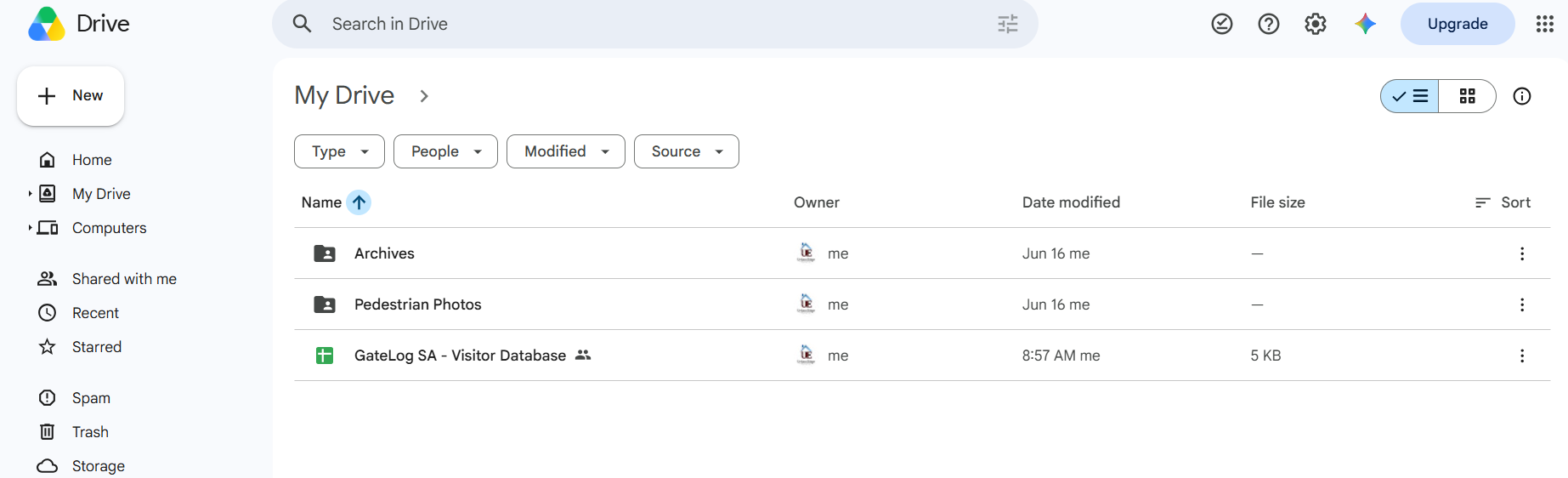
| Entry ID | Date | Time | Guard Name | Direction | Gate | Device | Visitor Type | Vehicle Document | Registration | Vehicle Type | Make & Model | Colour | Driver Name | Driver Document | Unit Visiting | Reason For Visit | Notes |
|---|---|---|---|---|---|---|---|---|---|---|---|---|---|---|---|---|---|
| MAIN-00001 | 30/09/2026 | 08:42 | Guard 1 | Entry | Main Gate | Scanner 01 | Vehicle | Licence Disc | CA SAMPLE | Sedan | Toyota Corolla | Silver | Sample Visitor | Driver’s Licence · Valid | Unit 14 | Visiting resident | Expected visitor |
| MAIN-00002 | 30/09/2026 | 08:47 | Guard 1 | Entry | Main Gate | Scanner 01 | Pedestrian | No vehicle | — | — | — | — | Sample Visitor | SA ID · Captured | Reception | Meeting | Photo captured |
| MAIN-00003 | 30/09/2026 | 08:55 | Guard 2 | Entry | Delivery Gate | Scanner 02 | Vehicle | Licence Disc | CY SAMPLE | Panel van | Ford Transit | White | Sample Driver | Driver’s Licence · Valid | Unit 27 | Delivery | Package collection |
| MAIN-00004 | 30/09/2026 | 09:03 | Guard 2 | Entry | Main Gate | Scanner 02 | Vehicle | Licence Disc | CJ SAMPLE | Pick-up / Bakkie | Ford Ranger | Blue | Sample Contractor | Driver’s Licence · Valid | Maintenance | Contractor | Electrical work |
| MAIN-00005 | 30/09/2026 | 09:11 | Guard 1 | Entry | Main Gate | Scanner 01 | Pedestrian | No vehicle | — | — | — | — | Sample Visitor | Manual entry | Office 3 | Interview | Host notified |
| Entry ID | Date | Time | Guard Name | Gate | Device | Message |
|---|---|---|---|---|---|---|
| OB-00001 | 30/09/2026 | 06:00 | Guard 1 | Main Gate | Scanner 01 | Guard signed in and started duty. |
| OB-00002 | 30/09/2026 | 08:58 | Guard 2 | Delivery Gate | Scanner 02 | Delivery vehicle redirected to the loading area. |
| OB-00003 | 30/09/2026 | 09:16 | Guard 1 | Main Gate | Scanner 01 | Visitor query referred to site management. |
| OB-00004 | 30/09/2026 | 10:05 | Guard 2 | Main Gate | Scanner 02 | Barrier inspection completed and recorded. |
| Exit ID | Date | Time | Guard Name | Direction | Gate | Device | Visitor Type | Vehicle Registration | Driver Name | Driver ID |
|---|---|---|---|---|---|---|---|---|---|---|
| EXIT-00001 | 30/09/2026 | 09:24 | Guard 1 | Exit | Main Gate | Scanner 01 | Vehicle | CA SAMPLE | Sample Visitor | Sample ID |
| EXIT-00002 | 30/09/2026 | 09:41 | Guard 2 | Exit | Delivery Gate | Scanner 02 | Vehicle | CY SAMPLE | Sample Driver | Sample ID |
| EXIT-00003 | 30/09/2026 | 10:02 | Guard 1 | Exit | Main Gate | Scanner 01 | Pedestrian | — | Sample Visitor | Sample ID |
Scan visitor details, record vehicles and pedestrians, manage entry and exit, and keep working when the internet goes down.
Scan supported documents, or manually enter driver’s licence and ID details when required.
Keep capturing during short connection interruptions, then reconnect and confirm that pending entries synchronise.
Track visitors, vehicles, guards, units, entry times and exits.
Record incidents, handovers and important gate events digitally.
GateLog SA synchronises visitor records to the configured Google Sheet in Google Drive. Internet connectivity is required for first-time setup, licence checks, account linking and uploading records. If the connection drops during gate operation, the device can temporarily retain up to 100 pending entry scans for later synchronisation. Reconnect and confirm that all pending entries have uploaded before reaching the offline limit.
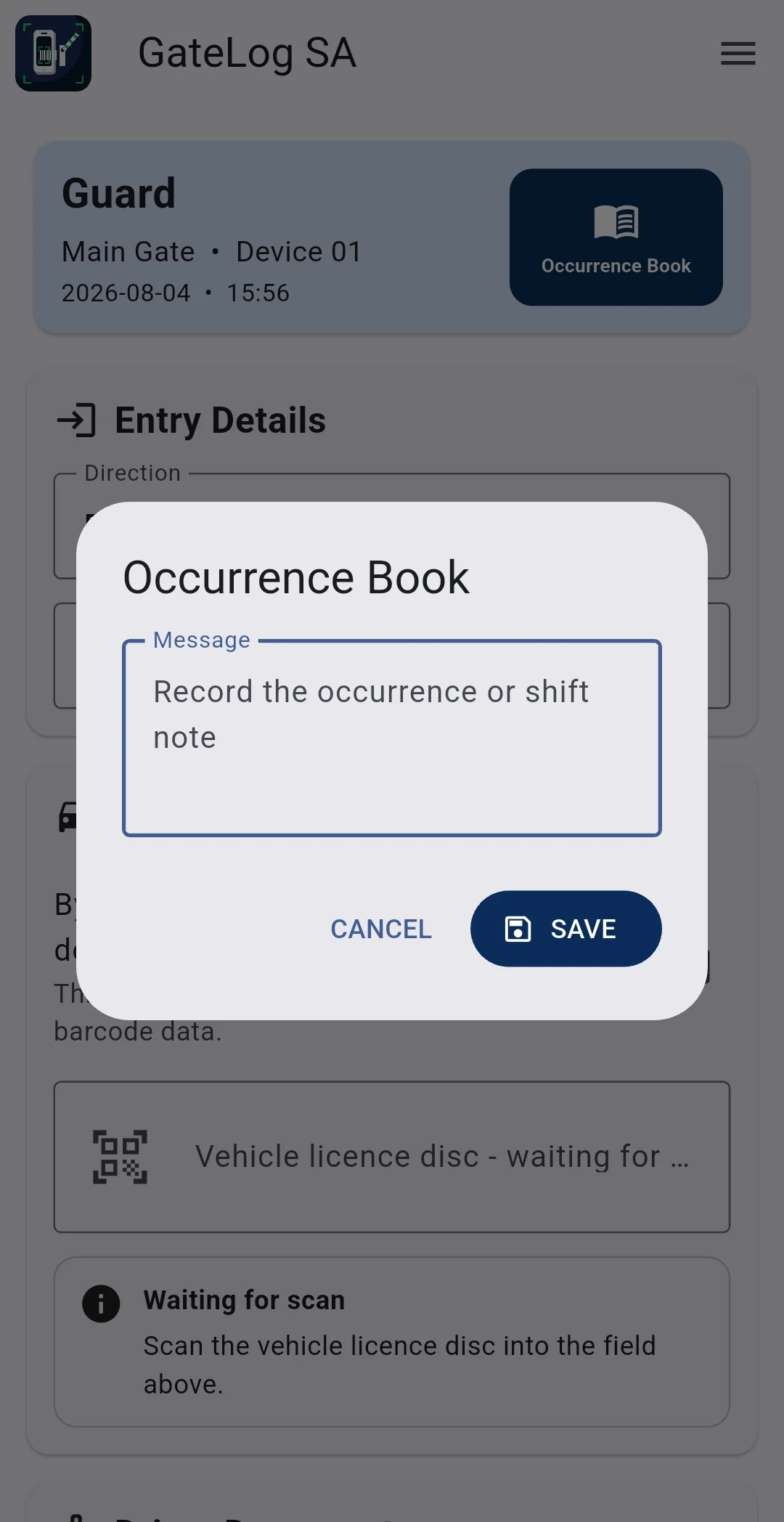
The digital Occurrence Book gives guards a clear place to save important events and handover notes without adding another paper register.
These are real GateLog SA screens. Configure access points, capture visitor details, manage linked devices and keep searchable digital records.
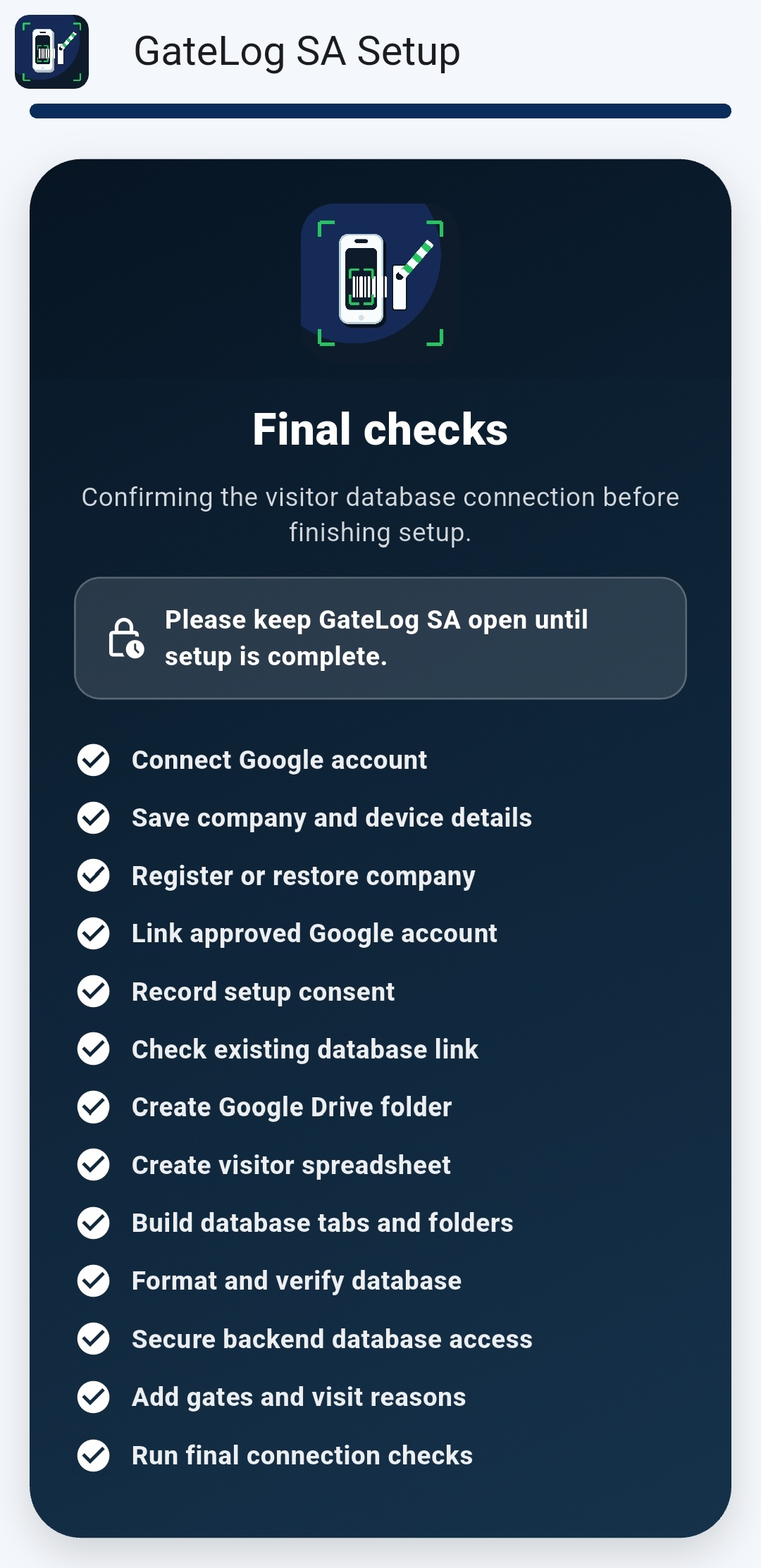
Link the account, create the visitor database and register the device.
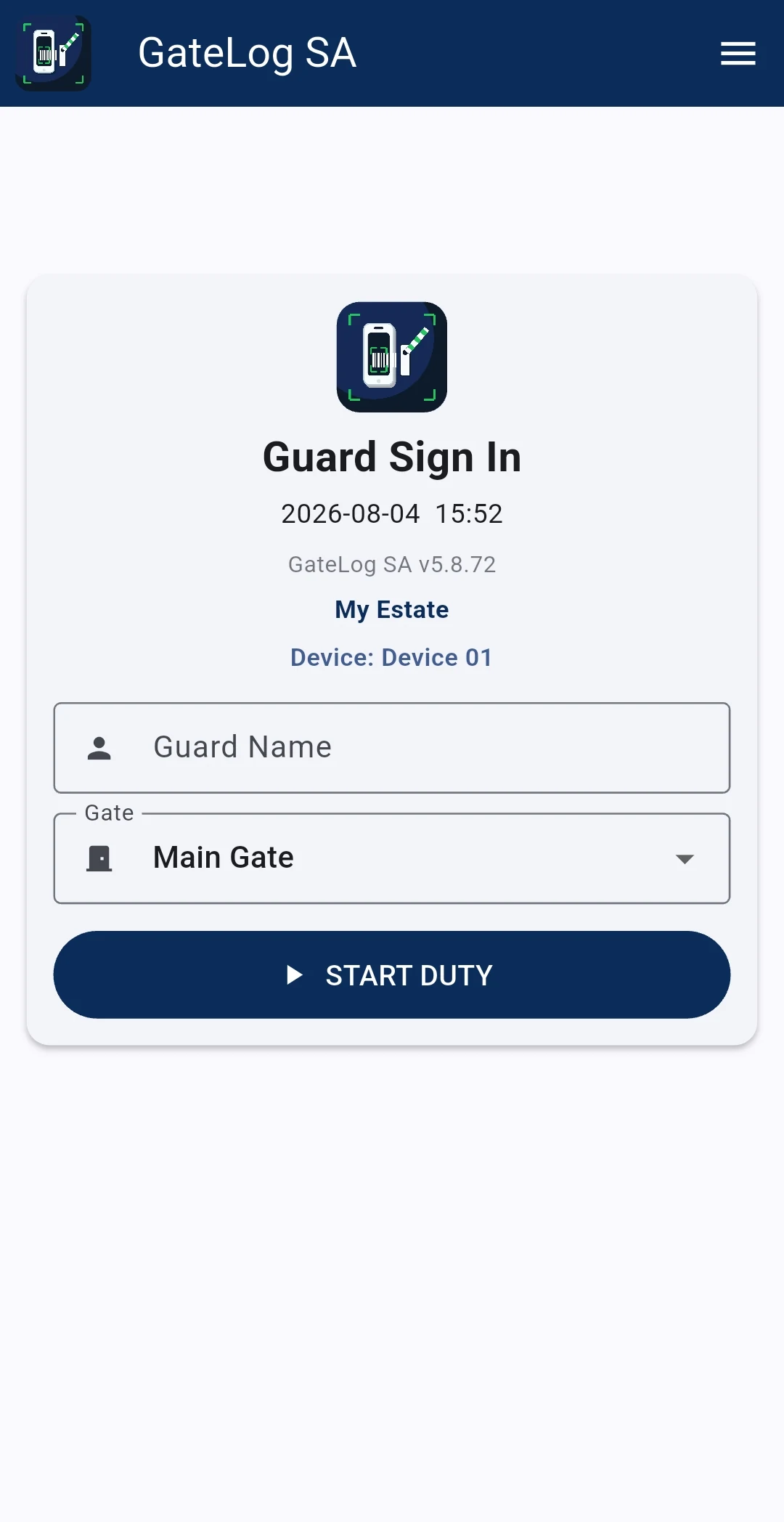
Guards enter their name, select the correct gate and start duty.
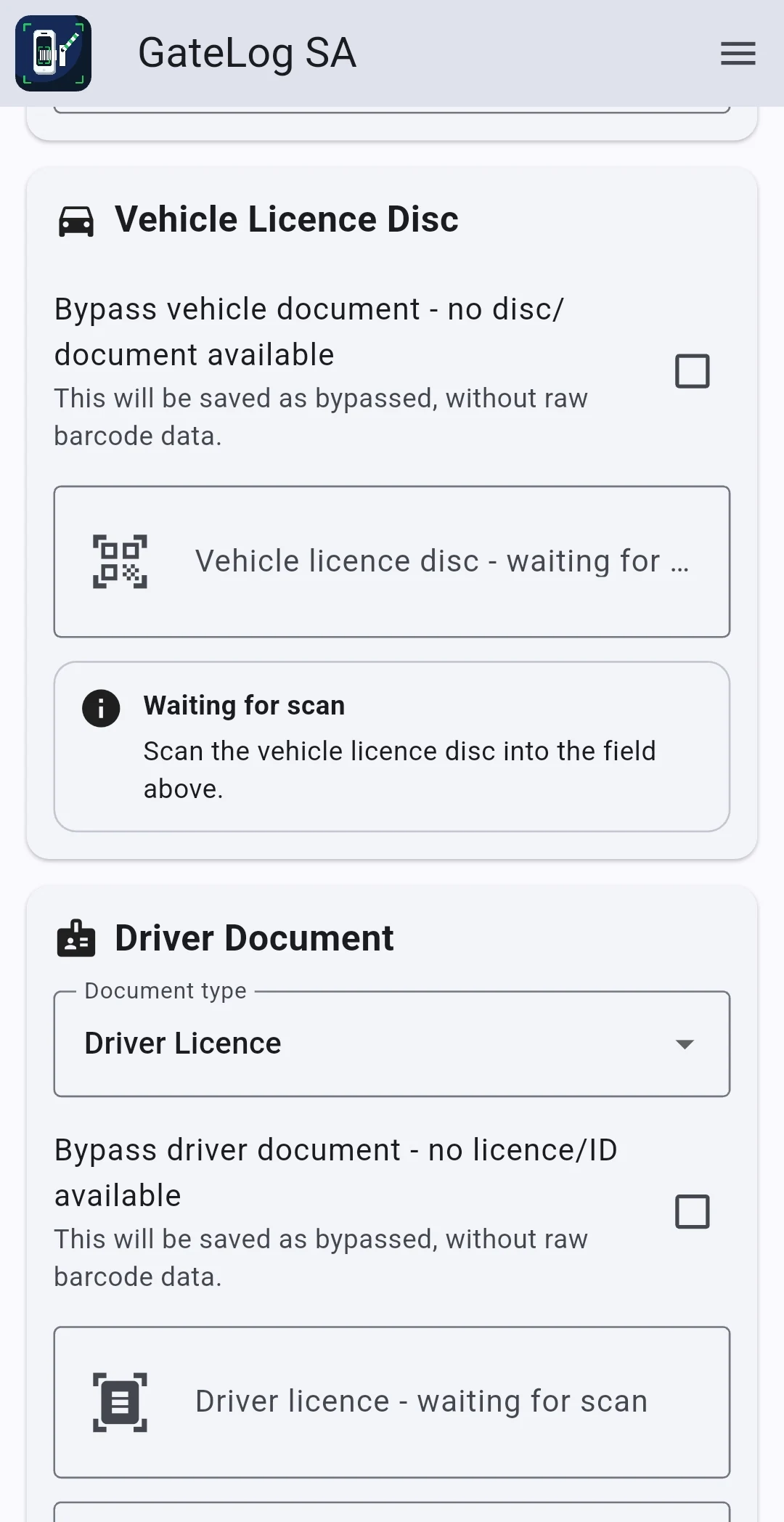
Scan the vehicle licence disc. Driver’s licence and ID details can be scanned or entered manually.
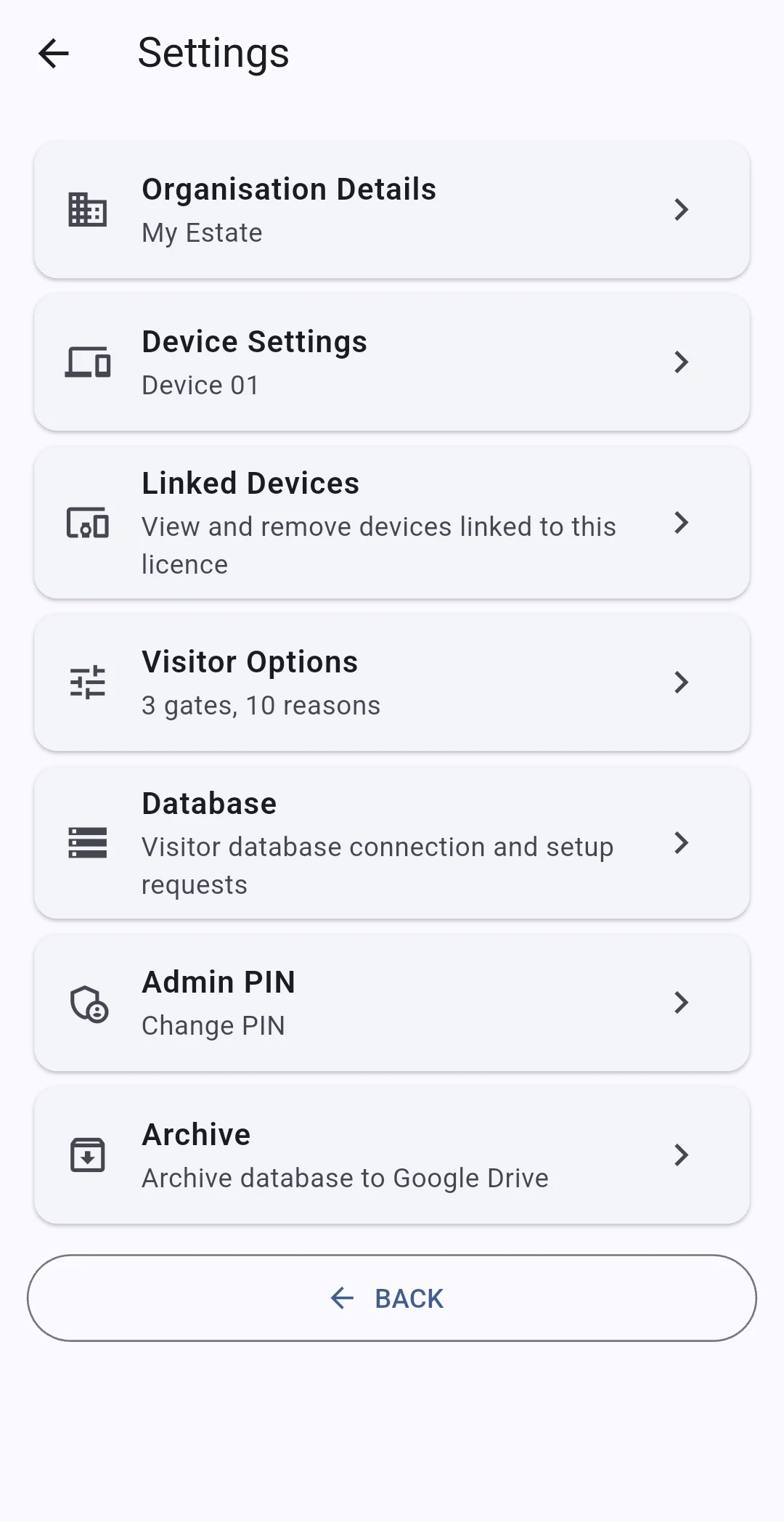
Access organisation, device, visitor, database, PIN and archive settings.
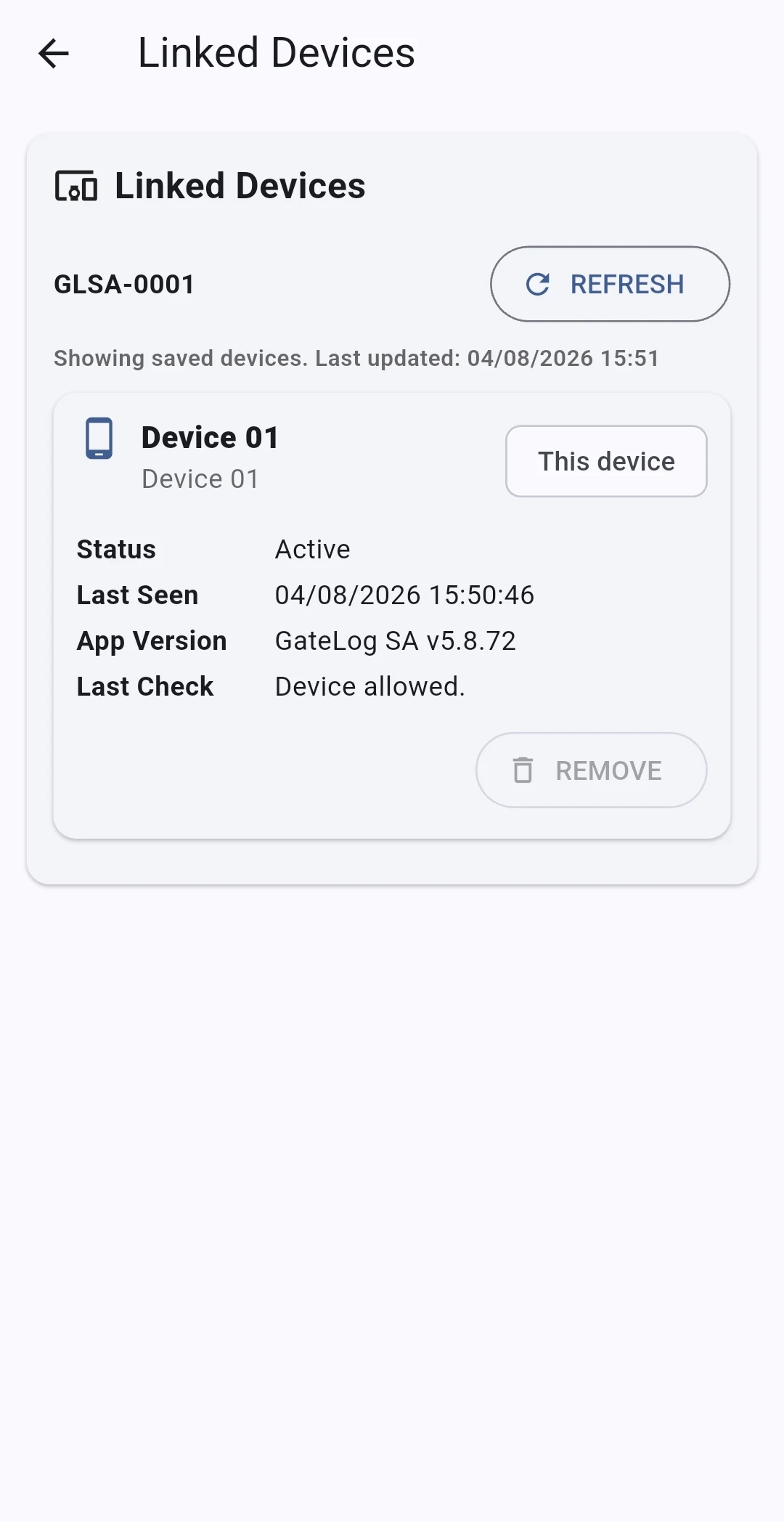
See the scanners registered to your GateLog SA setup and their current status.
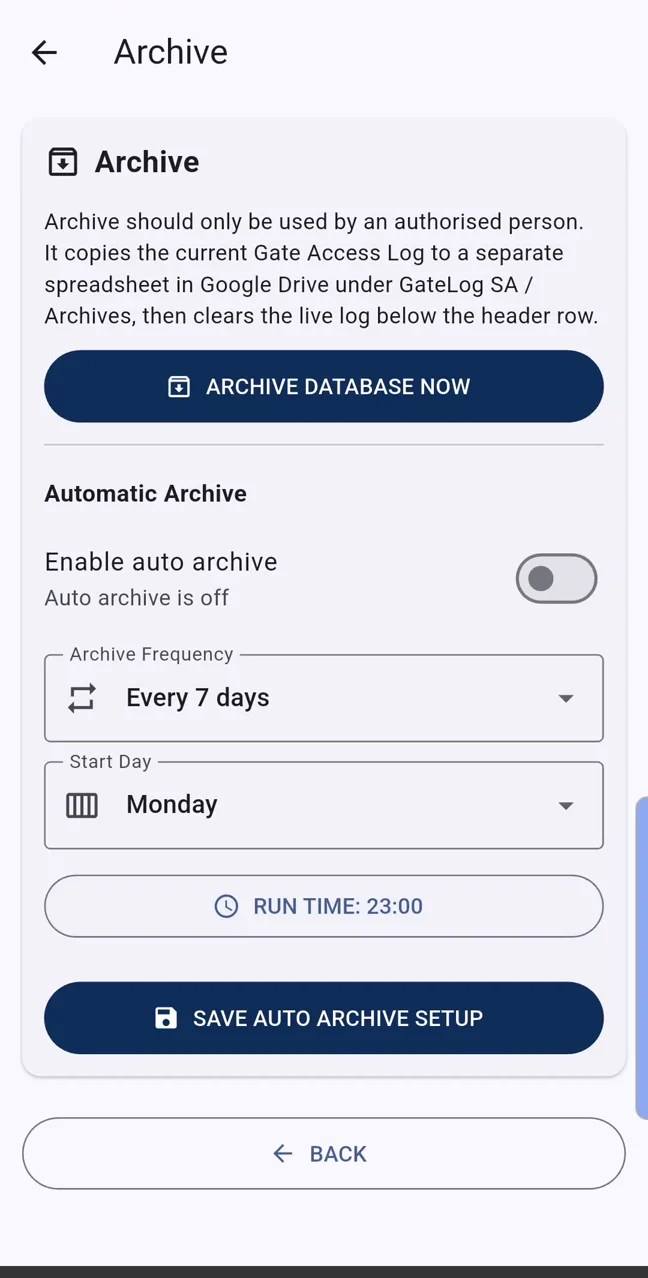
Configure scheduled archives for an organised long-term record process.
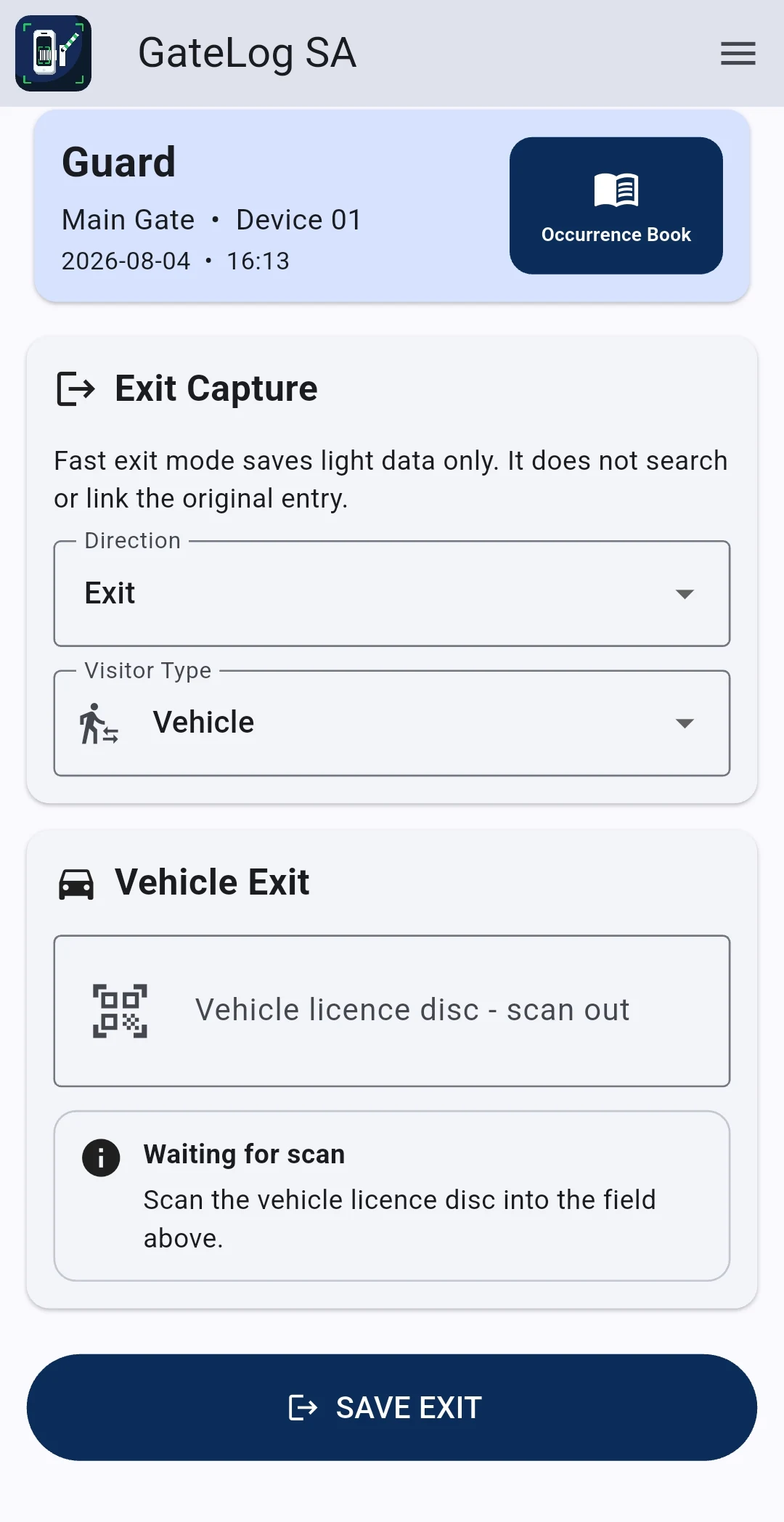
Select vehicle or pedestrian exit, scan the relevant document and save a lightweight exit record. Fast exit mode records the exit without searching for or linking it to the original entry.
Start with a 30-day trial, then choose the monthly or annual software plan that fits your site.
Additional devices from R100/month
Works out to R200/month for one device
After the 30-day trial, choose your plan in GateLog SA. Payment is completed by EFT, so no card details are entered or stored in the app. Activation follows once payment is confirmed. Annual subscriptions are renewed manually and do not renew automatically.
GateLog SA is not VAT registered, and no VAT is charged on the displayed prices.
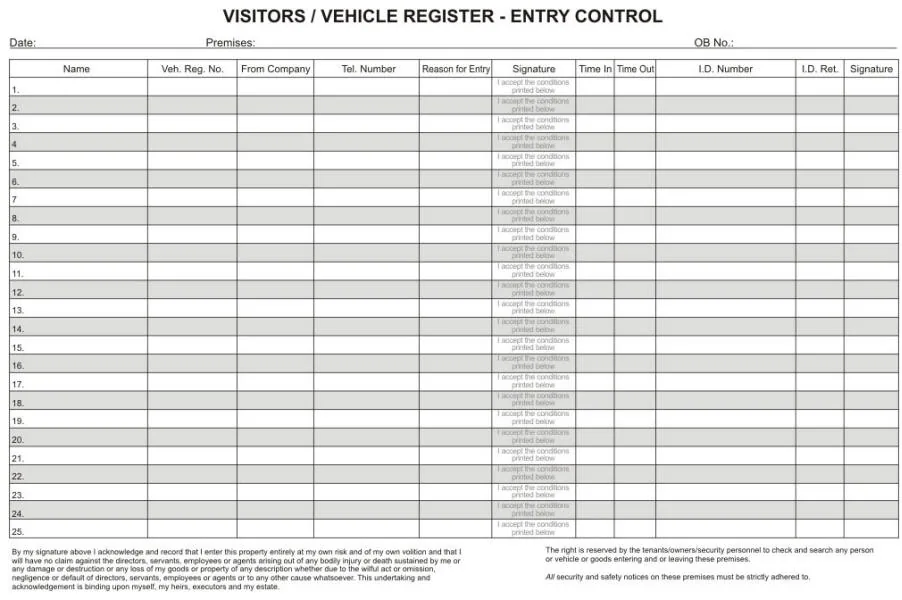 OUTDATEDGateLog SAACCESS GRANTED
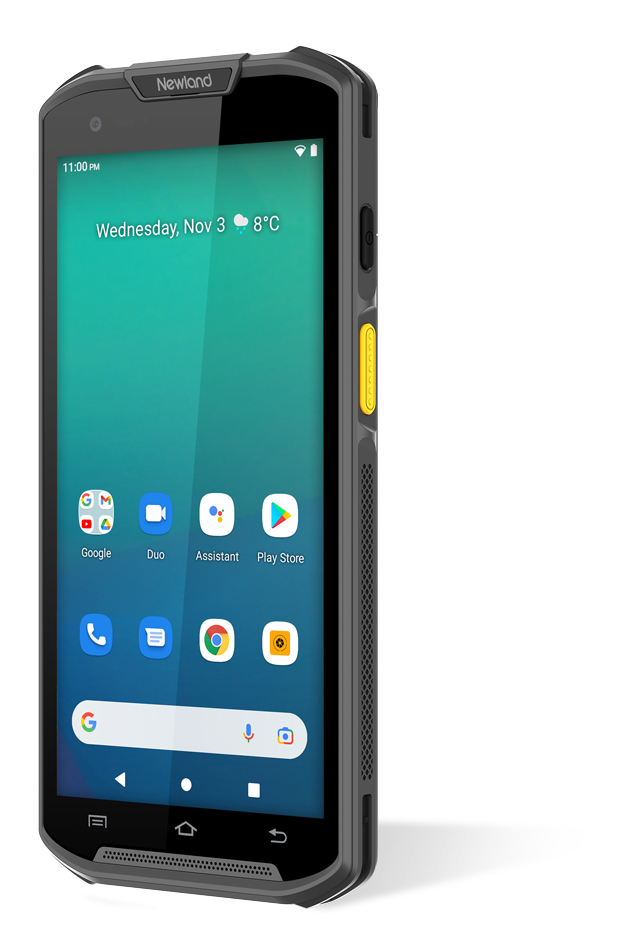
GateLog SA is the main product. Use a compatible Android barcode-scanning device that meets your site requirements. GateLog SA is designed only for compatible Android devices with integrated barcode scanners; ordinary Android phones are not supported. The Newland MT93 is shown only as one recommended example from an external supplier.
Once GateLog SA is installed and configured, use the built-in Support section so your request includes the information needed to identify your setup.
Open Menu → Support → Email Support. GateLog SA opens a prepared email containing the organisation, site, device and contact details needed to identify your setup.
Email us before downloading if you need help confirming the device, installing the APK or starting the first-time setup.
For your safety, never email passwords, licence keys, identity numbers or visitor records. Read the Privacy Policy and Terms & Conditions.
GateLog SA is supplied as an Android APK for compatible barcode-scanning devices. Download it directly from this website.
No. GateLog SA is designed for compatible Android devices with an integrated barcode scanner.
Driver’s licence and ID information can be entered manually when required. Vehicle licence-disc information cannot be entered manually; the disc must be scanned, or the guard must use the app’s documented bypass option when no disc is available.
Internet is required for first-time setup, account linking, licence checks and uploading records. During short interruptions the app can temporarily retain up to 100 pending entry scans for later synchronisation.
Records are synchronised to the Google Sheet configured in the client’s Google Drive setup. The client remains responsible for access, retention and lawful use of visitor information.
After the 30-day trial, choose a plan inside GateLog SA. Payment is made by EFT and activation follows after payment is confirmed. Card details are not entered or stored in the app.
Existing users should use the Support section inside GateLog SA. Before installation, email support@gatelogsa.co.za with the scanner model, Android version and a description of the problem.